> For the complete documentation index, see [llms.txt](https://helpcenter.etron.info/llms.txt). Markdown versions of documentation pages are available by appending `.md` to page URLs; this page is available as [Markdown](https://helpcenter.etron.info/verwaltungsoberflache/api-and-hooks/endpunkte/documentation-v2-rest-api-dokumentation.md).
# Documentation: v2 REST API Dokumentation
{% hint style="success" %}
*Modul: ETRON onRetail REST API*
{% endhint %}
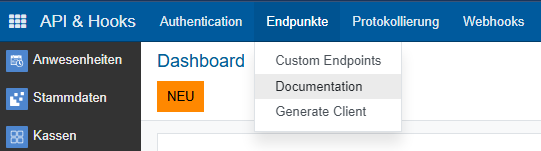
> *API & Hooks -> Endpunkte -> Documentation*
{% hint style="info" %}
*Direkter Link zur Dokumentation:* [*REST API Dokumentation*](https://apidocs.wawi.onretail.eu/rest/docs)
{% endhint %}
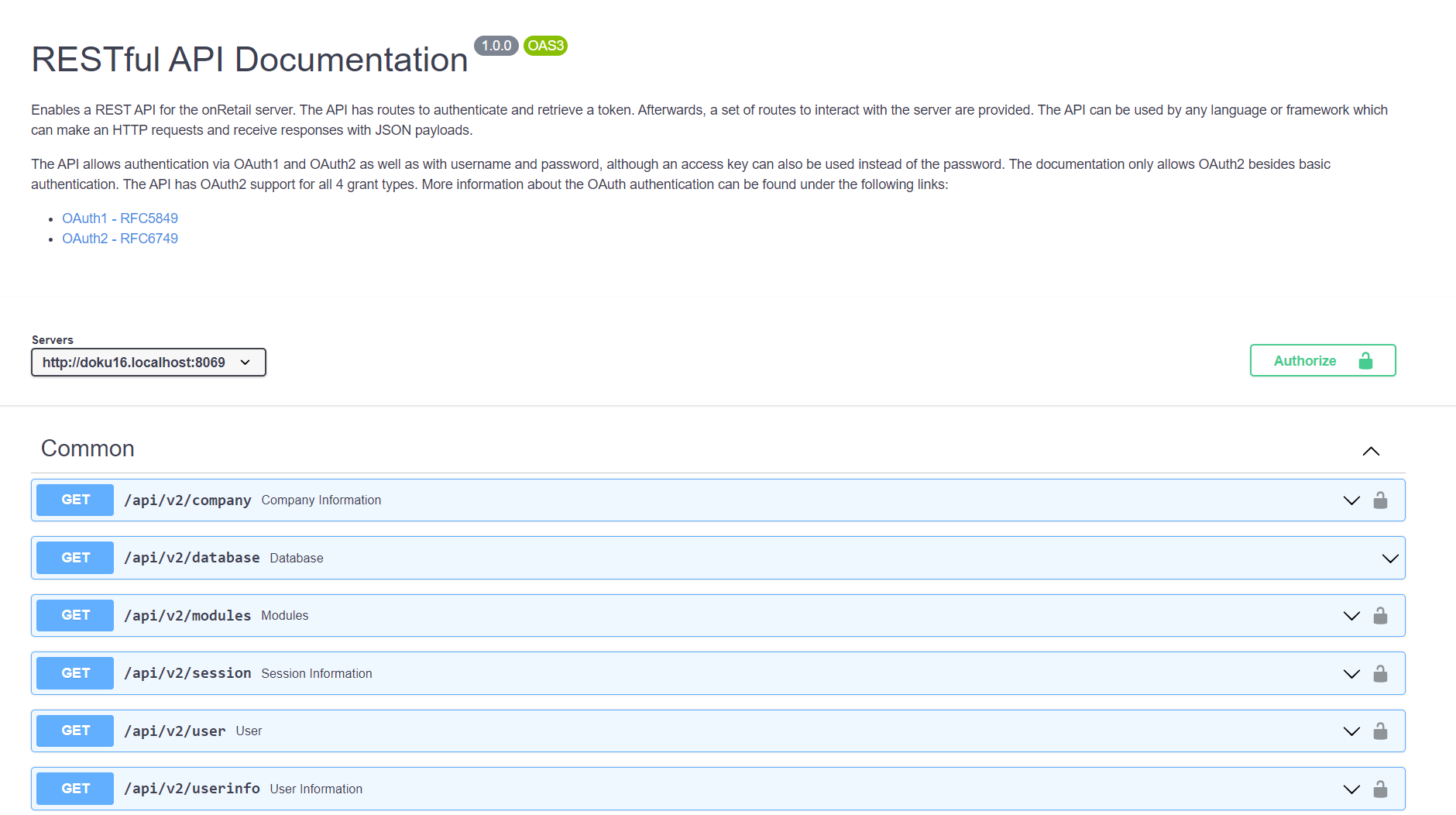
Über den Menüpunkt öffnet sich die API Dokumentation (Swagger) in einem neuen Browser-Tab.
## Download API Postman Collection, Postman Environment
Unter dem Menüpunkt API & Hooks -> Endpunkte -> Dokumentation kann über den Link "Download Postman Collection & Environment" direkt die Postman Collection und das Postman Environment als zip-Datei heruntergeladen werden. In Postman kann der entpackte Ordner importiert werden, wodurch die API Dokumentation und die Daten für die Authentifizierung über oAuth2 direkt in Postman verfügbar sind.
{% hint style="warning" %}
*Das Paket enthält gültige Zugangsdaten der jeweiligen Instanz. Die Datei ist wie ein Passwort zu behandeln. Eine öffentliche Weitergabe oder Ablage in Tickets und Versionsverwaltungen ist zu vermeiden.*
{% endhint %}
Alternativ kann die Postman Collection auch als json-Datei heruntergeladen werden:
{% file src="/files/o0w6ILLZmhOuS1Q4w4F3" %}
## Beschreibung der API Dokumentation (Swagger)
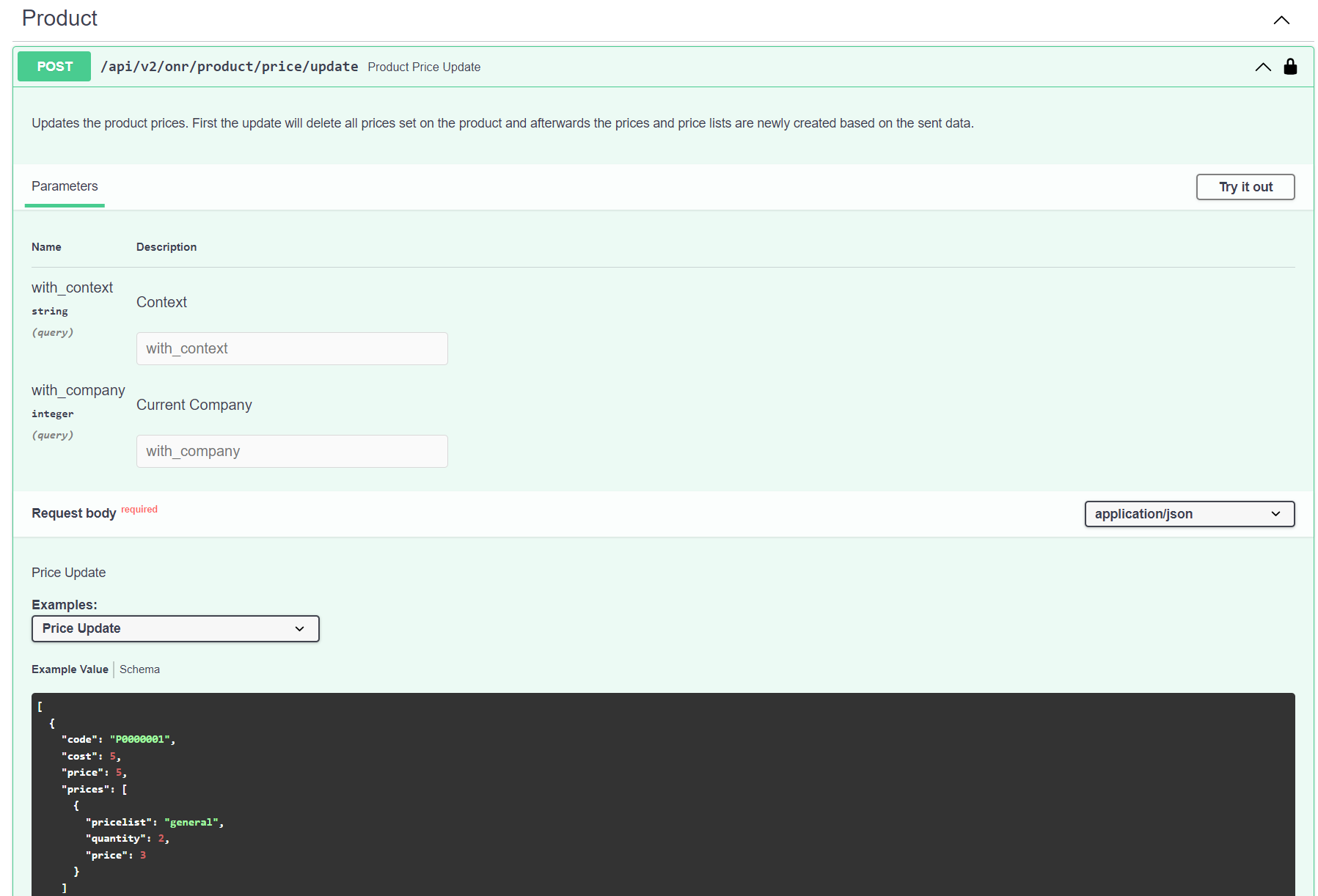
In der Dokumentation befindet sich eine Beschreibung der API, für verschiedene Datenmodelle sind Beispiele bzw. Schema im JSON-Format angegeben. Die verschiedenen Endpunkte können nach vorheriger [Autorisierung](#autorisierung) über oauth2 direkt [getestet](#testen-try-it-out) werden.
### Testen (Try it out)
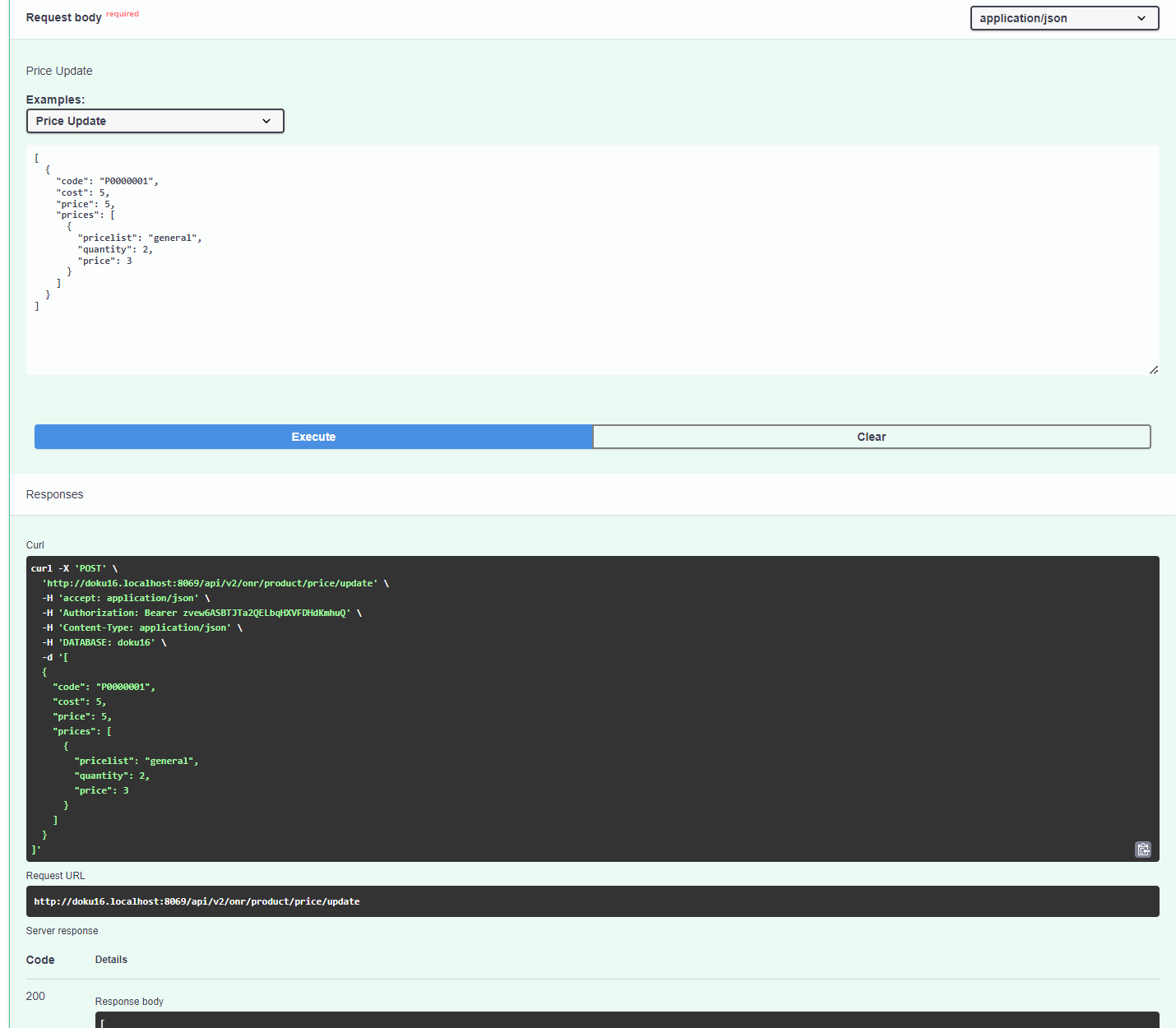
Die API-Requests können nach vorheriger [Autorisierung](#autorisierung) getestet werden.
Dafür wird einer der Requests in der Doku durch Anklicken ausgeklappt, und rechts oben der Button  ausgewählt. Nun können die gewünschten Parameter gesetzt und durch Auswählen des Buttons  der Request getestet werden.
### Autorisierung
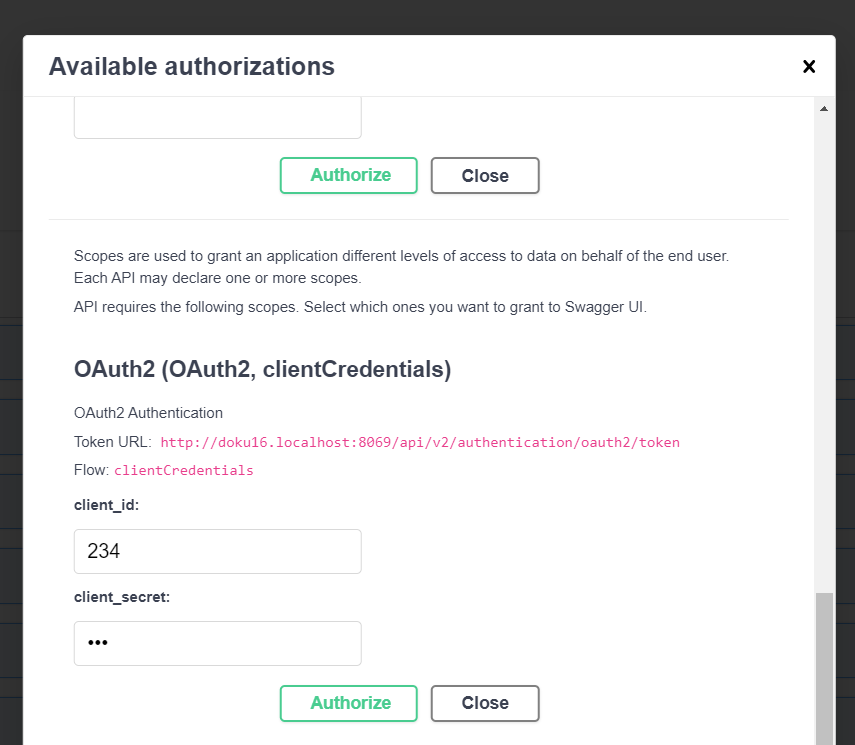
Die Autorisierung wird recht oben über den Button  geöffnet. Im Bereich **OAuth2** wird die client\_id und das client\_secret der zu [testenden Verbindung ](/verwaltungsoberflache/api-and-hooks/authentication.md)eingegeben.
Über den Button
geöffnet. Im Bereich **OAuth2** wird die client\_id und das client\_secret der zu [testenden Verbindung ](/verwaltungsoberflache/api-and-hooks/authentication.md)eingegeben.
Über den Button  bestätigen.
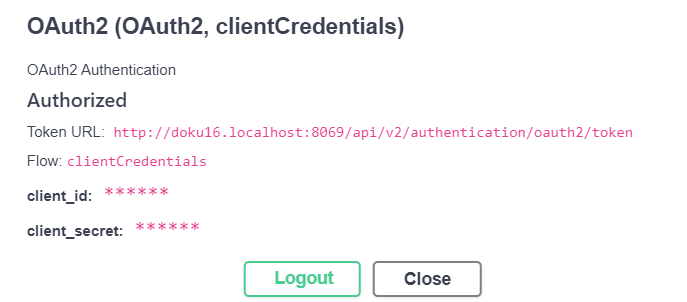
Nach erfolgreicher Autorisierung sollten die Daten im Fenster so aussehen.
### Schemas
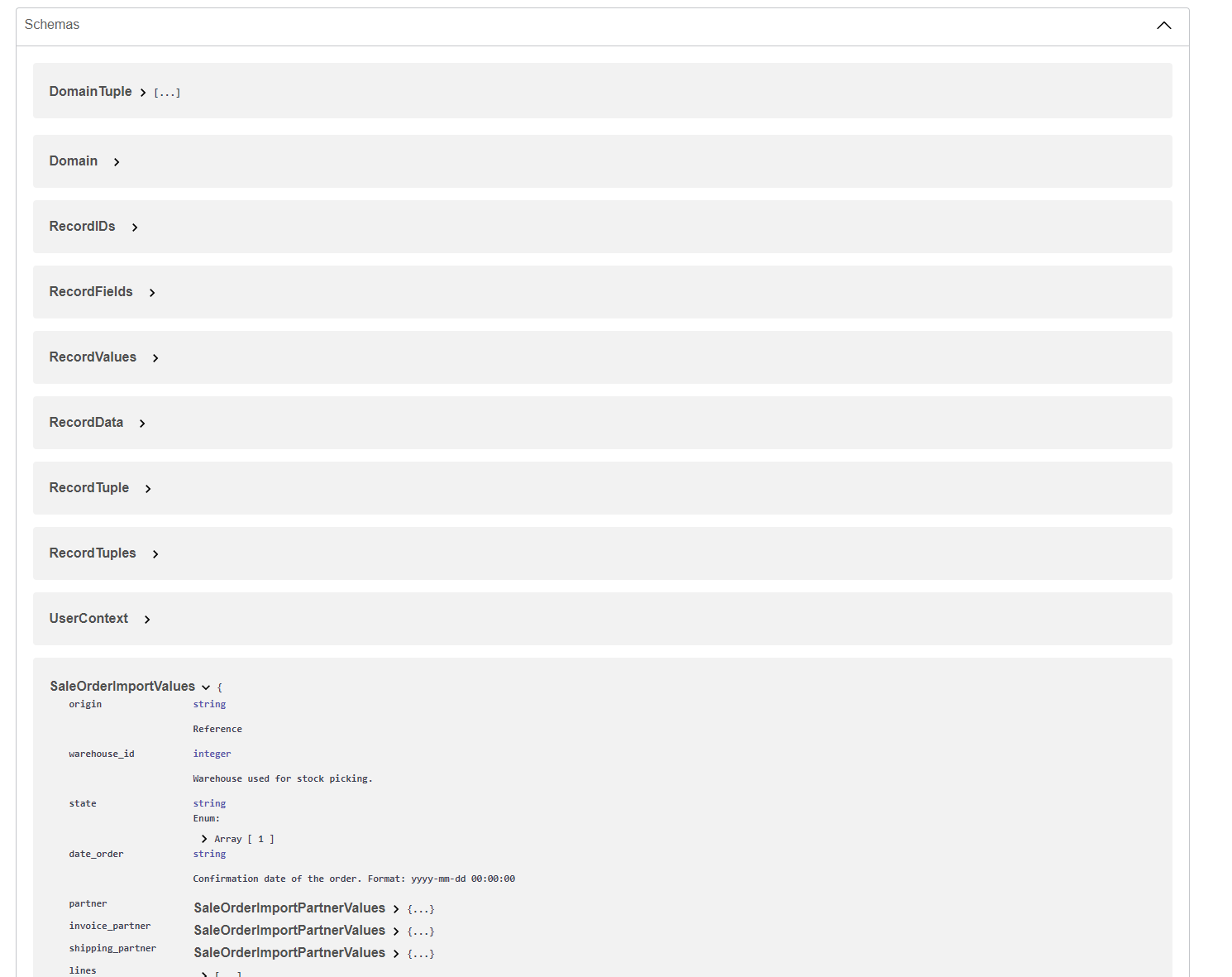
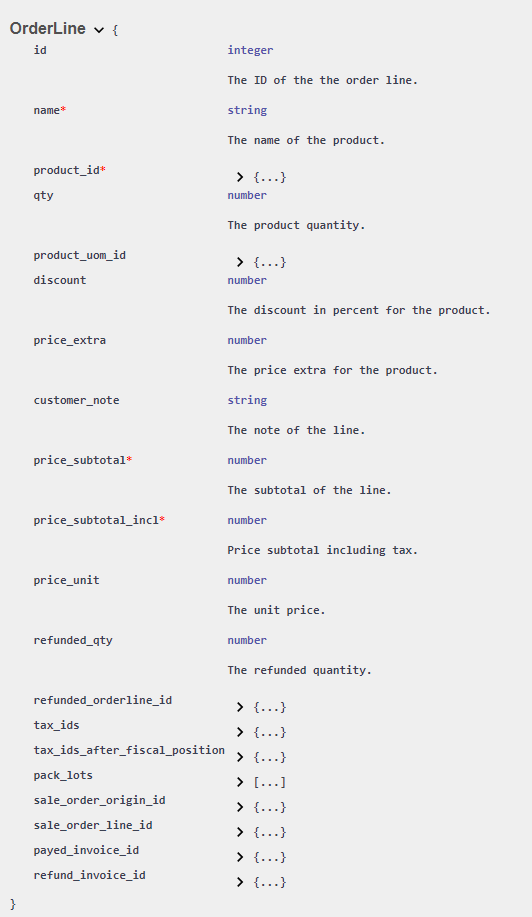
Am Ende der API Dokumentation befinden sich die Schemas der verschiedenen Modelle mit der Beschreibung der Felder und Datentypen.
Beispiel: Schema einer Angebotszeile in einem [Angebot](/verwaltungsoberflache/auftragswesen/angebote-and-auftrage-auftragswesen.md#auftragszeilen).
---
# Agent Instructions
This documentation is published with GitBook. GitBook is the documentation platform designed so that both humans and AI agents can read, navigate, and reason over technical content effectively. Learn more at gitbook.com.
## Querying This Documentation
If you need additional information that is not directly available in this page, you can query the documentation by asking a question.
Perform an HTTP GET request on the following URL with the `ask` and `goal` query parameters:
```
GET https://helpcenter.etron.info/verwaltungsoberflache/api-and-hooks/endpunkte/documentation-v2-rest-api-dokumentation.md?ask=&goal=
```
`ask` is the immediate question: it should be specific, self-contained, and written in natural language.
`goal` is what the user is ultimately trying to achieve, the reason they need the answer. Sharing it helps GitBook give you a better, more relevant answer. A goal is most helpful when it describes the outcome the user wants rather than restating the question. For example, with `ask=how do I create an API token`, a goal like `automate deployments from our CI pipeline` lets GitBook tailor the answer to that use case.
The response will contain a direct answer to the question and relevant excerpts and sources from the documentation.
Use this mechanism when the answer is not explicitly present in the current page, you need clarification or additional context, or you want to retrieve related documentation sections.
bestätigen.
Nach erfolgreicher Autorisierung sollten die Daten im Fenster so aussehen.
### Schemas
Am Ende der API Dokumentation befinden sich die Schemas der verschiedenen Modelle mit der Beschreibung der Felder und Datentypen.
Beispiel: Schema einer Angebotszeile in einem [Angebot](/verwaltungsoberflache/auftragswesen/angebote-and-auftrage-auftragswesen.md#auftragszeilen).
---
# Agent Instructions
This documentation is published with GitBook. GitBook is the documentation platform designed so that both humans and AI agents can read, navigate, and reason over technical content effectively. Learn more at gitbook.com.
## Querying This Documentation
If you need additional information that is not directly available in this page, you can query the documentation by asking a question.
Perform an HTTP GET request on the following URL with the `ask` and `goal` query parameters:
```
GET https://helpcenter.etron.info/verwaltungsoberflache/api-and-hooks/endpunkte/documentation-v2-rest-api-dokumentation.md?ask=&goal=
```
`ask` is the immediate question: it should be specific, self-contained, and written in natural language.
`goal` is what the user is ultimately trying to achieve, the reason they need the answer. Sharing it helps GitBook give you a better, more relevant answer. A goal is most helpful when it describes the outcome the user wants rather than restating the question. For example, with `ask=how do I create an API token`, a goal like `automate deployments from our CI pipeline` lets GitBook tailor the answer to that use case.
The response will contain a direct answer to the question and relevant excerpts and sources from the documentation.
Use this mechanism when the answer is not explicitly present in the current page, you need clarification or additional context, or you want to retrieve related documentation sections.