# 📊 Einkauf

{% hint style="success" %}
*Modul: Bestellwesen*
{% endhint %}

> *Berichte -> Einkauf*

Im Einkaufsbericht sind die Daten aus dem Bestellwesen ([Einkäufen bei Lieferanten](https://helpcenter.etron.info/verwaltungsoberflache/einkauf)) einsehbar.&#x20;

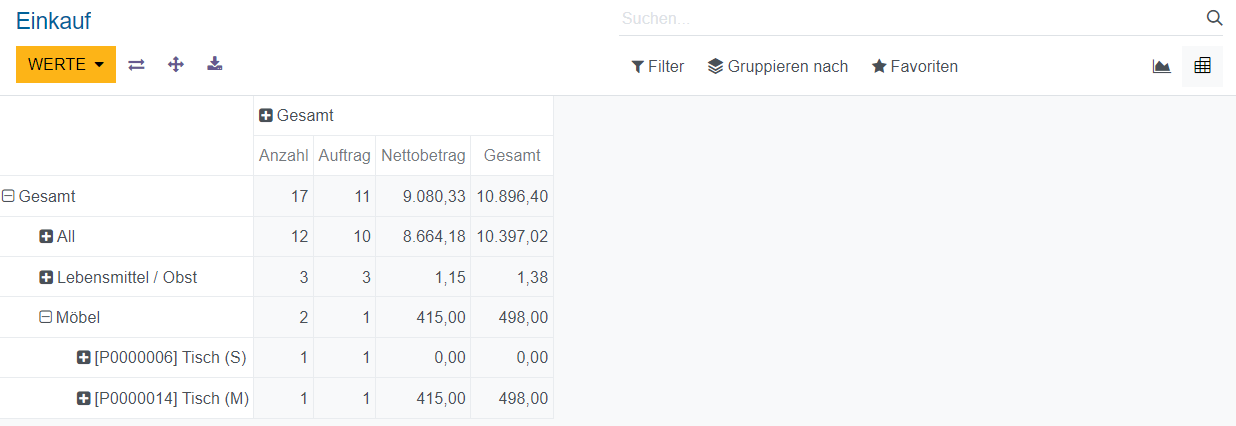
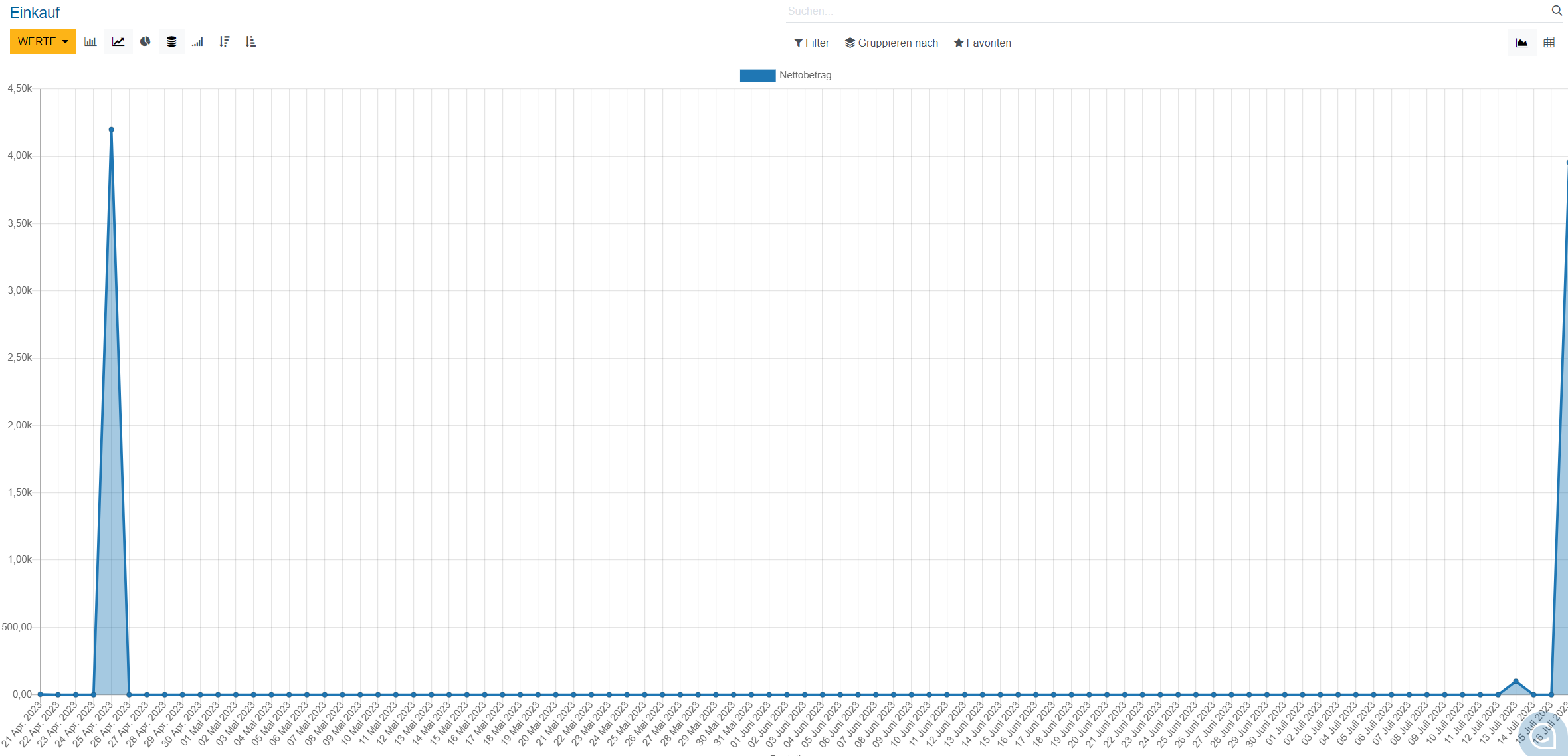
Der Bericht kann in verschiedenen Ansichten mit unterschiedlichen Informationen (z.B. Anzahl der Aufträge, die Nettosumme an Einkäufen pro Produktkategorie) angezeigt werden.

Für den Wechsel der Berichtsansicht wird eines dieser Icons ![](https://2281246901-files.gitbook.io/~/files/v0/b/gitbook-x-prod.appspot.com/o/spaces%2FlM26Mg6nljOOOe95HyIq%2Fuploads%2FKRJ0RJhd0TOr49oTYzns%2Fimage.png?alt=media\&token=6f8209a0-3dff-4d74-a449-2a52be67077b)ausgewählt.&#x20;

<figure><img src="https://2281246901-files.gitbook.io/~/files/v0/b/gitbook-x-prod.appspot.com/o/spaces%2FlM26Mg6nljOOOe95HyIq%2Fuploads%2FhyoLOKLfxVPezMOARIW9%2Fimage.png?alt=media&#x26;token=15f059b1-acba-4956-9fd5-c45944ac479f" alt=""><figcaption><p>Einkaufs-Bericht in der Diagramm-Ansicht</p></figcaption></figure>

<figure><img src="https://2281246901-files.gitbook.io/~/files/v0/b/gitbook-x-prod.appspot.com/o/spaces%2FlM26Mg6nljOOOe95HyIq%2Fuploads%2FS4JcezxURBwLnuDttHGC%2Fimage.png?alt=media&#x26;token=11321688-aa01-42e2-89d6-8005524e2922" alt=""><figcaption><p>Einkaufs-Bericht in der Pivot-Ansicht</p></figcaption></figure>

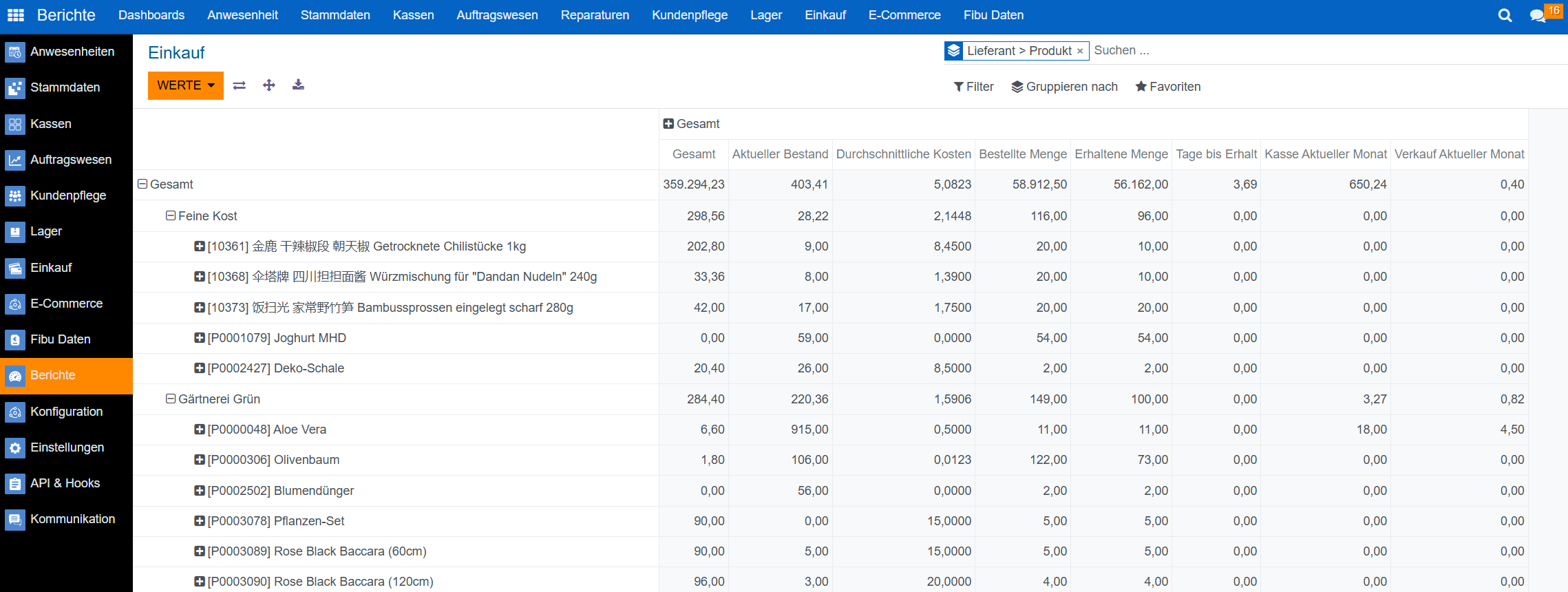
Über den Button ![Werte](https://2281246901-files.gitbook.io/~/files/v0/b/gitbook-x-prod.appspot.com/o/spaces%2FlM26Mg6nljOOOe95HyIq%2Fuploads%2Ffh9abjbmHQNEFiF2jVtC%2Fimage.png?alt=media\&token=50680dfd-417f-4900-b9a0-b1dce8bfdc87) lassen sich weitere Felder im Bericht anzeigen, z.B. die bestellte und erhaltene Menge vom Lieferanten, die durchschnittlichen Kosten, Tage bis zum Erhalt der Ware, sowie den Umsatz des Produkts in Kasse und Verkauf (Auftragswesen) für einen bestimmten Zeitraum.&#x20;

Über den Button <img src="https://2281246901-files.gitbook.io/~/files/v0/b/gitbook-x-prod.appspot.com/o/spaces%2FlM26Mg6nljOOOe95HyIq%2Fuploads%2F174HACSShmo7rbsauCYw%2Fimage.png?alt=media&#x26;token=99406f9a-a82c-4ecb-a3a3-b0eee804ee43" alt="Gruppieren nach" data-size="line">können die Werte z.B. zuerst nach dem Lieferanten, und dann nach dem Produkt gruppiert werden.
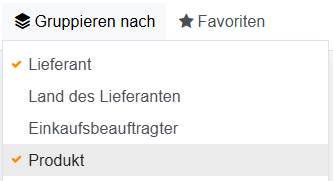
<figure><img src="https://2281246901-files.gitbook.io/~/files/v0/b/gitbook-x-prod.appspot.com/o/spaces%2FlM26Mg6nljOOOe95HyIq%2Fuploads%2FP32VVA0E09ZNPR4Jqb65%2Fimage.png?alt=media&#x26;token=9bf48dcd-f4bb-4536-84d7-76f2dfc03ab2" alt=""><figcaption></figcaption></figure>

<figure><img src="https://2281246901-files.gitbook.io/~/files/v0/b/gitbook-x-prod.appspot.com/o/spaces%2FlM26Mg6nljOOOe95HyIq%2Fuploads%2Fec0XEJzzSbt4WsJd3NDa%2Fimage.png?alt=media&#x26;token=6d64cbac-bedb-4595-9b04-89a917f522e4" alt=""><figcaption><p>Einkaufsbericht in der Pivot-Ansicht, gruppiert nach Lieferant und nach Produkt</p></figcaption></figure>

Der Bericht kann über das Download-Icon ![nach unten zeigender Pfeil](https://2281246901-files.gitbook.io/~/files/v0/b/gitbook-x-prod.appspot.com/o/spaces%2FlM26Mg6nljOOOe95HyIq%2Fuploads%2FFxwYXgpPoWrszTx4w6XM%2Fimage.png?alt=media\&token=bed377b6-b2cf-44d3-b505-9ff4d6c98359)auch als Excel-Datei heruntergeladen werden.&#x20;


---

# Agent Instructions: Querying This Documentation

If you need additional information that is not directly available in this page, you can query the documentation dynamically by asking a question.

Perform an HTTP GET request on the current page URL with the `ask` query parameter:

```
GET https://helpcenter.etron.info/verwaltungsoberflache/berichte/einkauf.md?ask=<question>
```

The question should be specific, self-contained, and written in natural language.
The response will contain a direct answer to the question and relevant excerpts and sources from the documentation.

Use this mechanism when the answer is not explicitly present in the current page, you need clarification or additional context, or you want to retrieve related documentation sections.