> For the complete documentation index, see [llms.txt](https://helpcenter.etron.info/llms.txt). Markdown versions of documentation pages are available by appending `.md` to page URLs; this page is available as [Markdown](https://helpcenter.etron.info/onretail-wiki/handbuch/sonderfunktionen/centausgleich.md).
# Centausgleich
Centausgleich bezeichnet einen Vorgang wo der zuzahlenden Betrag auf die nächste niedrigeren Einstellung gerundet wird. Dies geschieht immer zum Vorteil des Kunden und dient dazu einfachere zuzahlenden Beträge zu verrechnen.
## Einstellungen
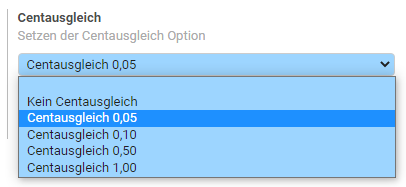
Die Einstellung für den Centausgleich kann in jeder Kassenkonfiguration individuell eingestellt werden. Es gibt die Möglichkeit auf 0,05 EUR, 0,10 EUR, 0,50 EUR oder 1,00 EUR abzurunden.
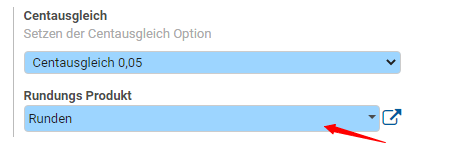
Neben der Einstellung für die Rundung kann auch das entsprechende Produkt angegeben werden. Dieses wird standardmäßig gesetzt und kann auch in dieser Voreinstellung belassen werden. Das Rundungsprodukt wird automatisch zum Kassenbon hinzugefügt sobald ein Centausgleich durchgeführt wird.
{% hint style="info" %}
Nutzen Sie Vorlagen, um die Einstellung für mehreren Kassen gleichzeitig zu definieren.
{% endhint %}
## Kassenoberfläche
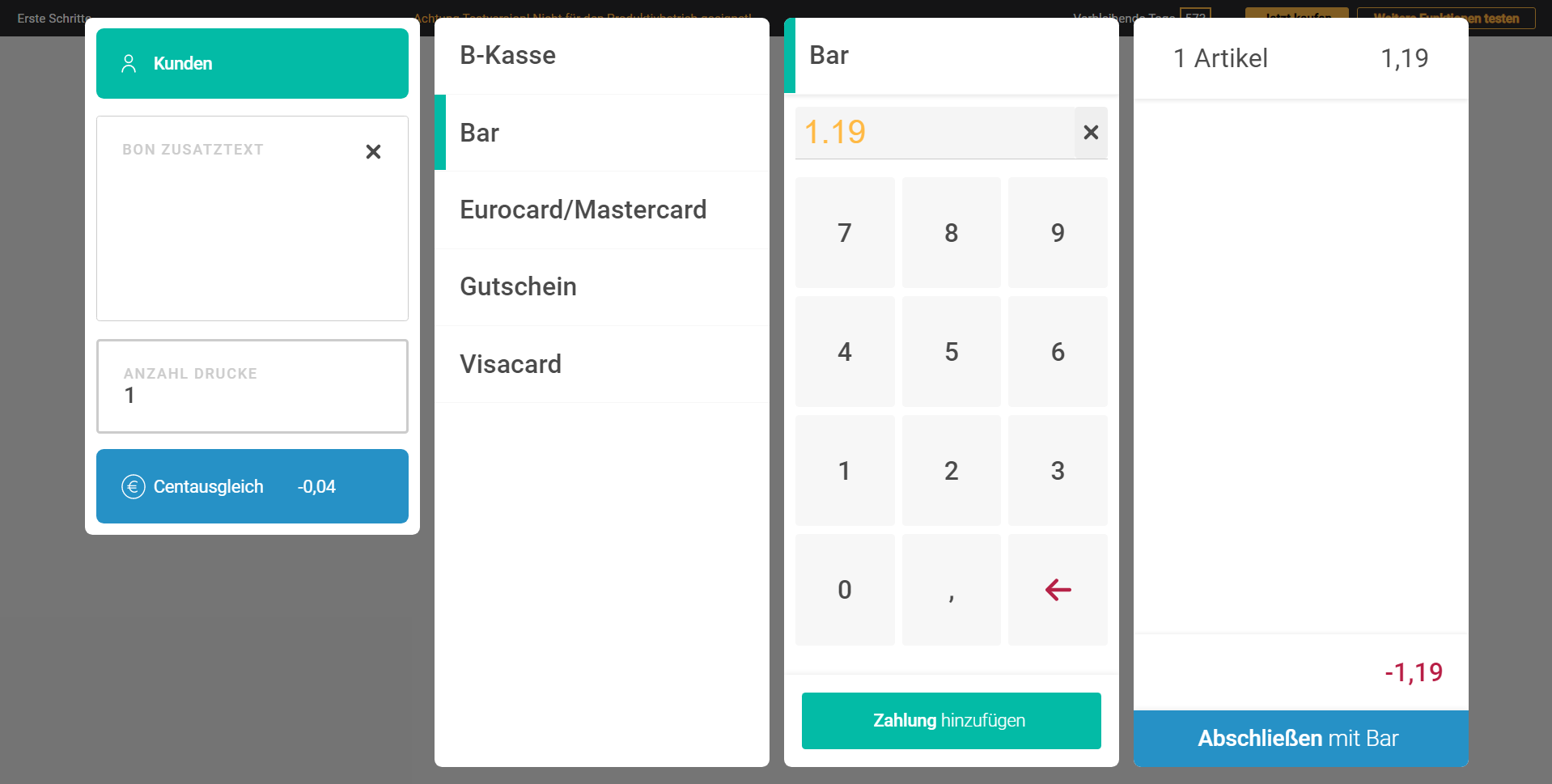
Beim Abschluss eines Kaufs gibt es nun die Option den Centausgleich entsprechend der Einstellung durchzuführen. Dazu klicken Sie auf den Button Centausgleich. Der Button zeigt bereits den Betrag an, um welchen der offene Betrag gerundet wird.
Ist der Centausgleich aktiv wird er Button rot angezeigt und kann durch einen weiteren Klick auch wieder entfernt werden.

Auf dem Kassenbon wird der Gesamtbetrag, sowie der gerundete Betrag aufgeführt.

---
# Agent Instructions
This documentation is published with GitBook. GitBook is the documentation platform designed so that both humans and AI agents can read, navigate, and reason over technical content effectively. Learn more at gitbook.com.
## Querying This Documentation
If you need additional information that is not directly available in this page, you can query the documentation dynamically by asking a question.
Perform an HTTP GET request on the current page URL with the `ask` query parameter, and the optional `goal` query parameter:
```
GET https://helpcenter.etron.info/onretail-wiki/handbuch/sonderfunktionen/centausgleich.md?ask=&goal=
```
`ask` is the immediate question: it should be specific, self-contained, and written in natural language.
`goal` is optional and describes the broader end goal you are ultimately trying to accomplish on behalf of the user. GitBook uses it to tailor the answer towards what is most useful for that goal.
The response will contain a direct answer to the question and relevant excerpts and sources from the documentation.
Use this mechanism when the answer is not explicitly present in the current page, you need clarification or additional context, or you want to retrieve related documentation sections.